Tournament Manager
Run the whole room
from your phone.
Game setup, blind structure, live timer controls, knockouts, rebuys, prize pool — everything a tournament director needs. Hand a tablet to a co-host and run it together.
Tournament Manager
Game setup, blind structure, live timer controls, knockouts, rebuys, prize pool — everything a tournament director needs. Hand a tablet to a co-host and run it together.
Pick a template, tweak, go. Every setting has a sensible default.
Change blinds, antes, or breaks mid-tournament. Players see it the same second.
One tap on a player. Payouts and standings catch up automatically.
Hand a tablet to a co-host. Two of you can drive the room together.
Setup used to take a whole evening of spreadsheets. Now it’s ten minutes in NextBlind. And I actually get to enjoy the night.
How it works
Setup, structure, live controls, players, payouts — everything a tournament director needs in one place. Take a tour of every step below ↓
01 — The Setup
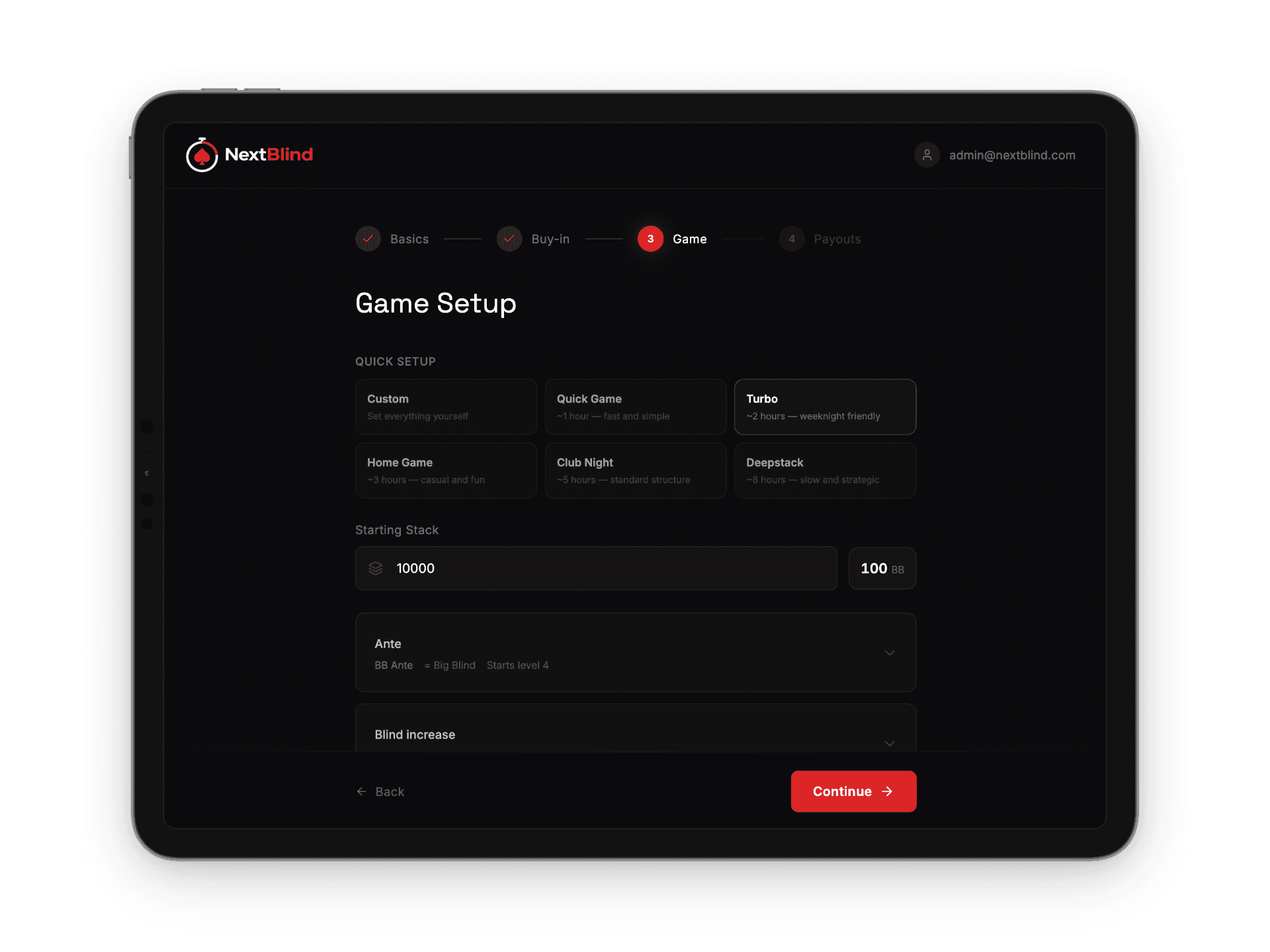
A four-step wizard takes you from cold-start to first hand in under a minute. Pick a template — Quick Game, Turbo, Home Game, Club Night, Deepstack — set the buy-in and stack, choose payouts. Every field has a sensible default, and a tooltip that explains it.
02 — Live Control
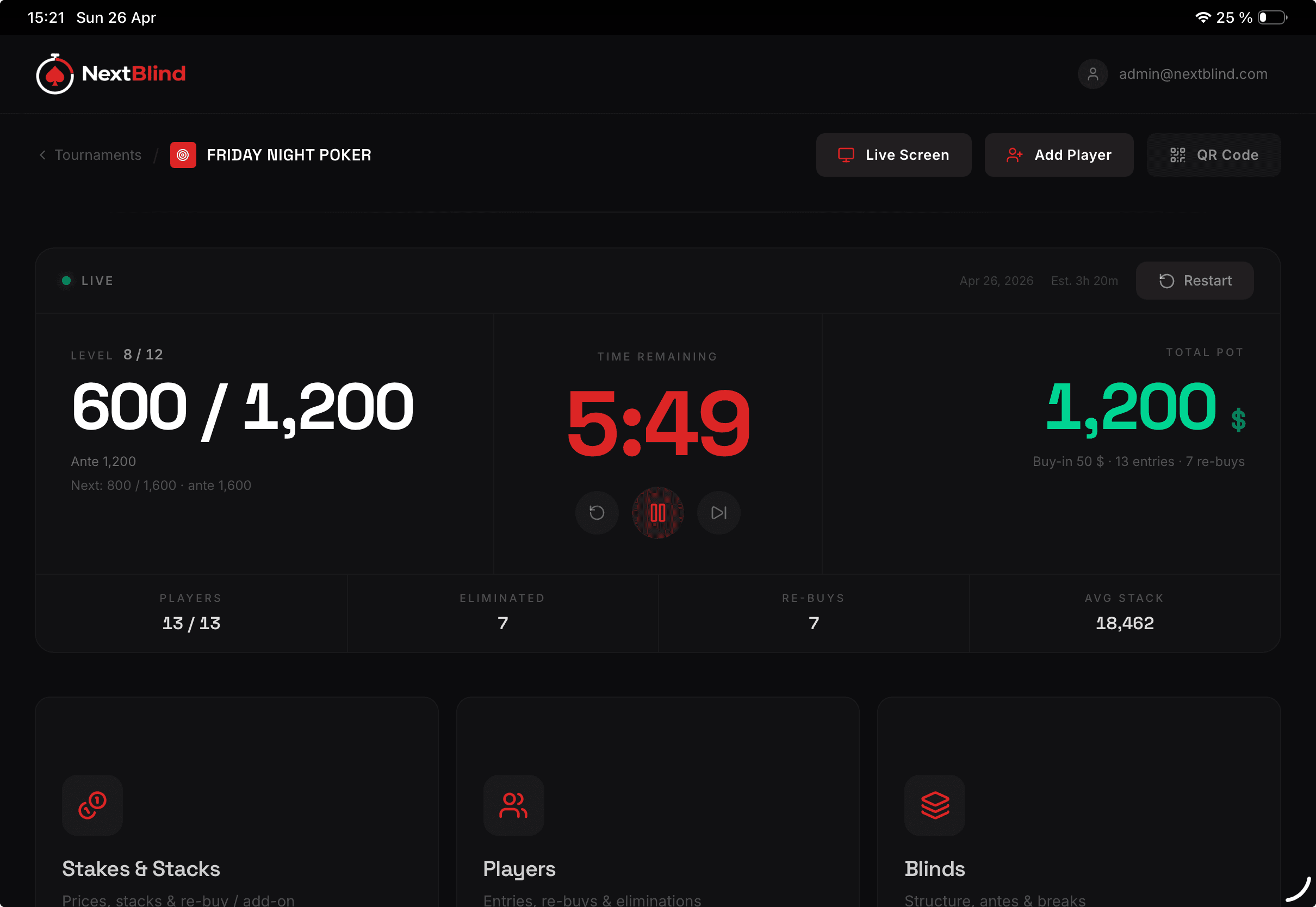
The dashboard during the tournament. Big timer, current blinds, total pot, players-left at a glance. Tap to pause, restart, or jump levels. Stakes & Stacks, Players, and Blinds editors are one tap away — and every change syncs to every other device the same second.
03 — Anywhere
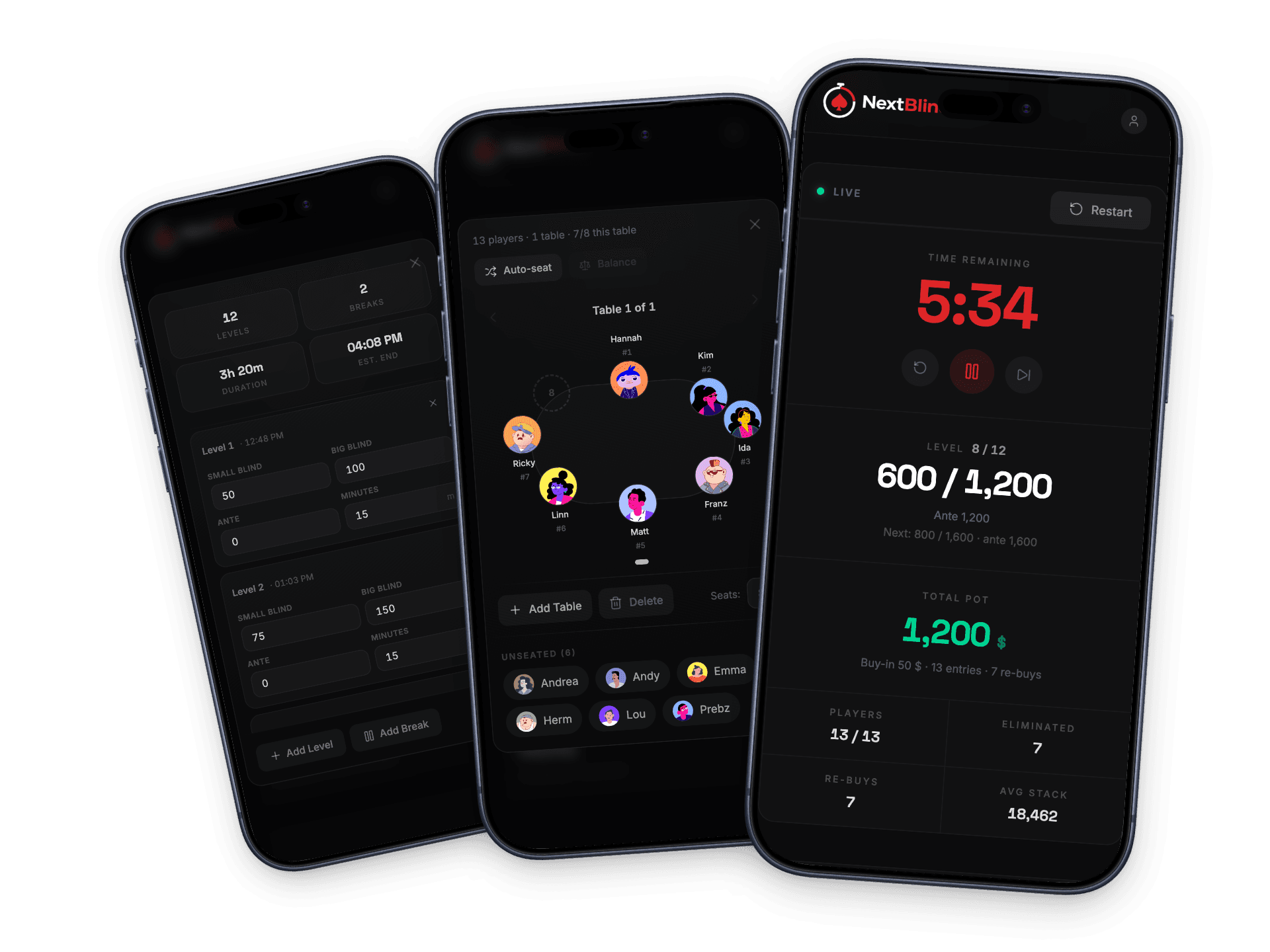
Same NextBlind on phone, tablet, Mac, and PC. Hand a tablet to a co-host. Knock out a player from the felt while your partner manages payouts at the bar. Two of you, one tournament, no walkie-talkies.

Free to try
Start a tournament in under a minute. No credit card. Up to 9 players on the free plan — keep going as long as you want.